Understand job progress and cancellation
Every stage a job passes through, the banners and warnings it can show, and what cancelling or failing actually costs you.
A running job reports one stage at a time, in a fixed order: Queued, Preparing workspace, Extracting audio, Detecting silence, Transcribing audio, LLM editor pass, Snapping cuts to words, Writing FCPXML and packaging, then Complete. Transcription is the longest stage by a wide margin. If the speech model is still downloading, live download progress appears alongside. Cancel Job requests cancellation and a cancelled run does not consume one of your included cuts, though partial job files may sit in the job folder until cleanup removes them. The header can also carry a variable frame rate warning, a Smart Silence result, or a Second Look failure notice. On failure, read the whole message before deleting anything.
On this page
The stages, in order
Once you click Process, the job opens its own screen and reports a single stage label plus a percentage. These are the stages, in the order you will see them on a normal cutting job:
| # | Stage label | What is happening |
|---|---|---|
| 1 | Queued | The job is created and waiting to start |
| 2 | Preparing workspace | The job folder is set up and the media is probed |
| 3 | Extracting audio | An analysis audio track is pulled from your media |
| 4 | Detecting silence | Quiet runs are found using your recording environment and minimum silence settings |
| 5 | Transcribing audio (whisper.cpp) | Speech becomes text with word-level timing |
| 6 | LLM editor pass | The AI editor reads the transcript and proposes removals |
| 7 | Snapping cuts to words | Removals are aligned to word boundaries and quantised to whole frames |
| 8 | Writing FCPXML + packaging | The timeline and the export artifacts are written |
| 9 | Complete | Finished. The review list and the export button appear |
Two labels you may also see: Failed when a job errors, and Idle before any work has started.
Stage 6 is skipped in substance when Bad-take removal is off — that job is a silence-only cut, and the finished review says so. A Transcribe Only job stops after transcription and jumps straight to done; it never builds a timeline.
The label reads Transcribing audio (whisper.cpp) on every job, including Pro Cloud transcription jobs where whisper.cpp is not the engine doing the work. The label is generic; the transcription source is whichever one you selected on the job.
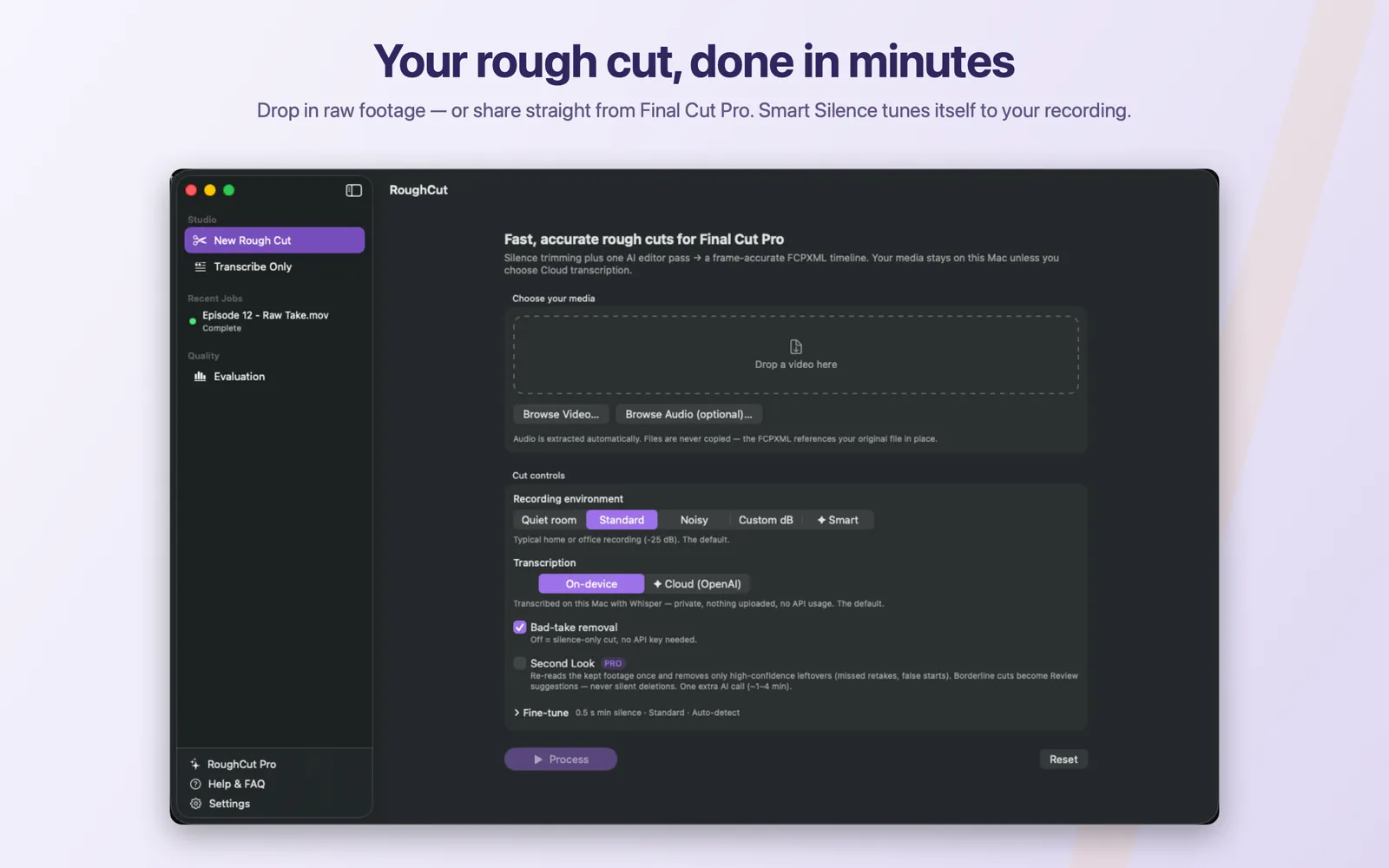
New Rough Cut and open their own progress screen once Process is clicked.Transcription is the longest stage
Transcription takes longer than every other stage combined on most recordings, and the progress screen says so while it runs. The percentage moves slowly through that stretch because it is reporting real progress through a long piece of work, not stalling.
How long it actually takes depends on the length of the recording, your Mac, and whether you chose on-device or Cloud transcription — so treat any number you have seen before as a rough personal benchmark rather than a rule. RoughCut does not promise a processing time, and neither should you when planning a deadline around it.
The stages either side of it are quick by comparison. If a job appears stuck, check which stage it is on before assuming anything is wrong.
While the speech model is still downloading
If you are on On-device transcription and the speech model has not finished installing, the download's live status appears where you are working, rather than leaving you guessing:
Downloading model… <n>%Once byte counts are available it also shows how much of the total has been written. Until the model is ready, Process stays disabled and the screen tells you what is missing. Cloud transcription needs no local model, so a Pro job set to ✦ Cloud (OpenAI) can run while the download is still going. See Install the local speech model.
Cancelling a job
The progress screen carries a Cancel Job button.
- Clicking it requests cancellation. The job stops at the next checkpoint — after probing, after audio extraction, after silence detection, after transcription, or after the editor pass. During transcription the request reaches the speech engine directly, so it does not have to wait for a long stage to end.
- A cancelled run does not consume one of your included cuts. A run is only counted when a job actually reaches a completed state. Cancelled and failed jobs stay free.
- Partial files may remain in the job folder — whatever the pipeline had already written when you cancelled. They are not in your way, and automatic cleanup removes finished jobs in the ordinary course of things. You can also clear finished jobs yourself with
Delete Completed Jobs NowinSettings → Models & Data. - Your source media is untouched, as always. Cancelling loses the work in progress and nothing else.
Cancelling is the right move as soon as you notice a wrong setting. There is no advantage in letting a job you already intend to redo run to the end.
Banners on the job header
Three notices can appear above a job, each carrying real information.
Variable frame rate
Detected during the probe stage, on cutting jobs only:
Variable frame rate detected. For best relinking results, transcode to constant frame rate
before import.
What it means. Screen recorders and phone cameras often write variable frame rate media, where the interval between frames changes as the recording goes on. Frame-accurate editing assumes a constant rate, so a cut list built against a variable-rate file can land slightly off once it is relinked in an editor — and the drift usually grows through the recording.
What to do. RoughCut still produces the cut, and for many recordings the result is perfectly usable. If precision matters, or if you can see drift after importing:
- Transcode the source to a constant frame rate — 25, 30, or whatever matches your project.
- Process the transcoded file as a new job.
- Use that timeline instead.
Doing the conversion first is much less work than fixing drift by hand in Final Cut Pro afterwards.
Smart Silence result
On jobs that used the Pro Smart recording environment:
Smart Silence picked <n> dBA measured noise-floor figure appears alongside it when one is available. This is the threshold that was actually used, and it is worth noting: type the same value into Custom dB on future recordings made in the same room and you get a comparable result without the subscription. See Choose the recording environment.
Second Look failure
Second Look could not run — this cut is the standard single-pass result.The specific cause follows that sentence. This banner is not a broken job. The refine pass is isolated by design: when it fails, the first-pass result stands, and what you are looking at is a complete, exportable rough cut identical to one processed with Second Look switched off. See Use Second Look safely.
When a job fails
A failed job shows Job failed with the error message, and offers Delete Job Artifacts.
Work through it in this order:
- Read the whole message first. RoughCut's failures are written to name the cause and, usually, the fix. They are not generic. Read to the end of the sentence before acting — the second half is often the instruction.
- Fix the cause the message names. Most failures are one of a small set:
| Message | Cause | Fix |
|---|---|---|
No API key for provider '<provider>'. Add it in Settings, or disable bad-take removal for a silence-only cut. | The editor pass has no key | Save a key, or turn Bad-take removal off |
Cloud transcription needs your OpenAI API key. Add it in Settings → LLM, or switch this job to on-device transcription. | Cloud selected, no key | Save the key, or switch to On-device |
Whisper model missing at <path>. Download or import it in Settings. | On-device selected, model not installed | Install the speech model |
source media not found: <path> | The file moved, was renamed, or its volume was unmounted | Restore the file, or add it again |
transcription produced no words — cannot build a cut | No recognisable speech in the audio | Check you loaded the right file and that it has audio |
cut plan kept nothing — refusing to export an empty timeline | Silence and editor removals together left nothing | Loosen the threshold or aggressiveness and process again |
- Create the job again. A failed job is not resumed and not repaired in place — you start a new one with the cause fixed. That costs nothing: failed runs never consume an included cut.
- Delete the artifacts only when you are finished with them. Failed jobs keep their working audio deliberately, which is what makes a second look at the cause possible. If you are going to ask for help, keep the job until you have.
The full catalogue of messages is in Error reference, and symptom-first guidance in Troubleshooting by symptom.
Common mistakes
- Assuming a slow transcription stage is a hang. It is the longest stage, and the percentage moves slowly through it on purpose.
- Letting a job finish that you already know is wrong. Cancel it. Cancelling is free.
- Believing a cancelled or failed job cost you a cut. Only a completed job counts.
- Ignoring the variable frame rate warning and then blaming the cut for drifting. Transcode first when precision matters.
- Deleting a failed job before reading its message. The message is the diagnosis.
- Reading the Second Look banner as a failed cut. The cut is finished and exportable.
Troubleshooting
| Symptom | Likely cause | Fix |
|---|---|---|
The job sits at Queued | It has been created but has not started work yet | Wait — the first stage follows shortly |
| Progress crawls in the transcription stage | Normal for a long recording | Let it run, or use a shorter test clip next time |
Process was disabled before the job started | No video, a validation error, the model not ready, or no cuts remaining | Check them in that order — see Create your first rough cut |
| Cuts drift after import into Final Cut Pro | Variable frame rate source | Transcode to constant frame rate and process again |
| Finished jobs are disappearing from the list | Automatic cleanup of finished jobs | Expected; export what you need when the job finishes |
Lost access to the source video. Re-add the file and process again. | The security-scoped access to the file is gone | Add the file again and process a new job |